What is a .3mf file? What's inside and how to open it on a Mac
3MF is an open format for 3D printing: a ZIP of XML that carries, besides a triangle mesh, units, colours, materials and the layout of the build plate. It started in 2015 from a format Microsoft donated, became the ISO/IEC 25422 standard in 2025, and PrusaSlicer, Bambu Studio and OrcaSlicer all save their projects in it. macOS can neither open nor preview it.
At a glance
- Extension
- .3mf
- Type
- 3D-printing model
- Created by
- 3MF Consortium
- Since
- 2015
- Standard
- ISO/IEC 25422:2025
- Specification
- 3MF Core Specification
- macOS without an app
- Doesn't know it: no preview, no thumbnail
Facts checked November 4, 2026
A mesh like STL, plus what STL is missing
The geometry in a 3MF is a triangle mesh, just like in an STL. The difference is what gets saved around it:
- Units. Every file says whether it's in millimetres, inches or metres, and if it says nothing, millimetres apply. STL has no unit at all, which is why a model drawn in inches opens 25.4× too small.
- Colours and materials, from one colour per object down to a colour for each triangle.
- Several objects and where they sit on the build plate, including parts made of other parts.
- Metadata: title, designer, description, licence.
The specification also requires the mesh to be closed, with consistently oriented triangles; the 3MF Consortium calls it watertight by spec.
The format is maintained by the 3MF Consortium, founded in 2015 by companies including Autodesk, Dassault Systèmes, HP, Microsoft and Shapeways. It has been a Linux Foundation project since 2020, and in June 2025 it was published as the international standard ISO/IEC 25422. Its origin still shows inside the files: the XML points to schemas.microsoft.com.
Inside: a ZIP you can unpack
A .3mf file is an ordinary ZIP. Rename it to .zip and unpack it, or list its contents in Terminal with unzip -l model.3mf. This is a project from PrusaSlicer 2.9.6, a cube with two filament changes:
[Content_Types].xml
Metadata/thumbnail.png
_rels/.rels
3D/3dmodel.model
Metadata/Prusa_Slicer_custom_gcode_per_print_z.xml
Metadata/Prusa_Slicer_wipe_tower_information.xml
Metadata/Slic3r_PE.config
Metadata/Slic3r_PE_model.config
And the same cube saved in Bambu Studio 2.7:
[Content_Types].xml
Metadata/plate_1.png
Metadata/plate_1_small.png
Metadata/plate_no_light_1.png
Metadata/top_1.png
Metadata/pick_1.png
Metadata/plate_1.json
3D/3dmodel.model
3D/_rels/3dmodel.model.rels
3D/Objects/object_2.model
Metadata/custom_gcode_per_layer.xml
Metadata/project_settings.config
Metadata/model_settings.config
Metadata/cut_information.xml
Metadata/slice_info.config
Metadata/filament_sequence.json
_rels/.rels
The standard mainly covers 3D/3dmodel.model: the geometry in XML, the units (here unit="millimeter") and the colours. Bambu Studio also puts each object in a file of its own under 3D/Objects, which is what the standard's Production extension is for. Everything under Metadata, though, each slicer writes its own way: print settings, plate previews, filament changes.
Why colours get lost between slicers
Multi-colour painting is stored for each triangle separately, and each slicer has its own attribute for it:
| Slicer | Painting | Filament change at a height |
|---|---|---|
| PrusaSlicer | slic3rpe:mmu_segmentation | Prusa_Slicer_custom_gcode_per_print_z.xml (M600) |
| Bambu Studio | paint_color | custom_gcode_per_layer.xml (tool_change) |
OrcaSlicer is based on Bambu Studio and saves projects in the same structure, filament changes in custom_gcode_per_layer.xml too. In the OrcaSlicer file I have at hand, the application even signs itself as BambuStudio-02.06.00.51.
What a slicer doesn't know, it skips. So a project may not make it between slicers whole: print settings belong to each slicer, and painted colours can arrive grey. People ask about it again and again on both the Bambu Lab and Prusa forums, which is why designers on Printables and MakerWorld are so often asked to add an STL next to the 3MF.
Three ways colour gets into a 3MF
- Painting: a colour for each triangle, sometimes fine brush strokes inside a single triangle.
- A part in its own filament: a model made of parts, each printed in a different colour.
- A change at a height: from a certain layer on, the print switches filament, such as M600 in PrusaSlicer.
On top of that, colours a CAD tool or converter writes into the 3MF directly by the standard.
.gcode.3mf: a finished print from Bambu Studio
Bambu Studio can also save a file ending in .gcode.3mf. Next to previews, it carries G-code already sliced for one particular printer, one per plate (Metadata/plate_1.gcode). It's a finished print job, not a project, so it can't be re-sliced for another printer.
New extensions to the name, and to the format
Since Core 1.4.0 (February 2025), the specification recommends double extensions by content, such as .model.3mf or .project.3mf. PrusaSlicer, Bambu Studio and OrcaSlicer don't use them yet in my files.
Beyond the core, 3MF has a set of extensions: materials and textures, Production, slice stacks (Slice), lattice structures (Beam Lattice), encryption (Secure Content) and volumetric data (Volumetric). Outside industrial software you'll rarely meet most of them.
3MF or STL?
3MF whenever colours, units or the whole print project matter. STL when you're only sending the shape and don't know what the other side will open it with. Converting 3MF to STL keeps only the geometry: colours, units and settings are lost.
How to open 3MF on a Mac, iPad and iPhone
macOS has no file type for 3MF. The Finder shows a blank icon, the space bar (Quick Look) shows nothing, and a thread asking about it on the Bambu Lab forum has been running since spring 2023. The options:
- A slicer: PrusaSlicer, Bambu Studio and OrcaSlicer are free and open 3MF. But you start a whole slicer for one preview.
- ThumbHost3mf is free and adds Finder thumbnails. It shows the image the slicer saved into the file, not the model itself.
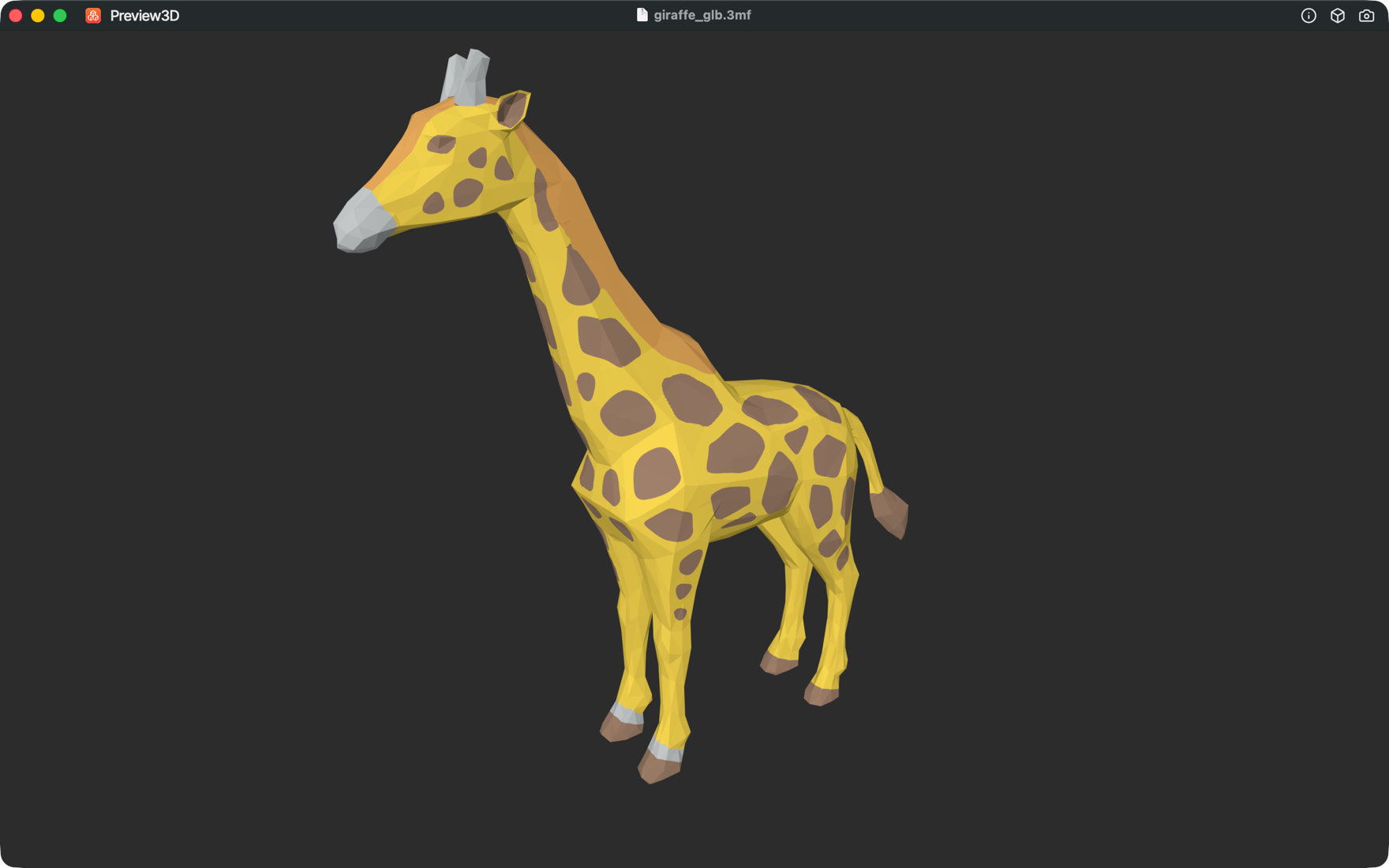
- Preview3D, my app, opens 3MF in its window, in Quick Look and as a Finder thumbnail. On iPad, iPhone and Apple Vision Pro too.
What Preview3D shows from a 3MF:
- painted colours from PrusaSlicer and Bambu Studio, fine brush strokes included,
- parts in their own filament and filament changes at a height as coloured bands, from PrusaSlicer, Bambu Studio and OrcaSlicer,
- colours a CAD tool or converter wrote into the 3MF,
- objects and parts where they belong, including an Explode slider for a model made of several bodies,
- in Model info, dimensions and a mesh check: holes, flipped faces and edges shared by more than two faces (non-manifold),
- on iPad and iPhone, the model in AR, in the same colours.
A model printed in one filament stays neutral grey.
About Finder previews for formats macOS can't render, I wrote up 3D previews in the Finder, including the formats macOS can't render.
Converting 3MF to STL
On a Mac, Preview3D converts from File → Export model as… (⌥⌘E). For 3MF it offers STL, OBJ and PLY, the whole model or one selected part, with no internet connection. The result is geometry only: colours, units and print settings can't go into an STL.
Common questions
Does PrusaSlicer open a Bambu Studio 3MF?
It depends on the versions. The geometry is written by the standard, but print settings and painting are stored the slicer's own way, so they may not carry over.
Is 3MF smaller than STL?
It depends on the file. The geometry is compressed in the ZIP, but a slicer project also carries previews and settings.
What is a .gcode.3mf file?
A finished print job from Bambu Studio: G-code sliced for one printer, with previews. It can't be re-sliced.
Why does a 3MF have no preview on a Mac?
macOS has no file type for 3MF, so neither the Finder nor Quick Look knows what to show. A preview only appears once an app registers the format.
Do colours survive converting to STL?
No. STL carries only the shape, with no colours and no units.
Can I open a 3MF on an iPhone or iPad?
Yes, in Preview3D. Open the file from Files, AirDrop or another app, and stand it on your desk in AR in the same colours.
Related pages
- 3MF viewer for Mac
- The .step and .stp file – exact geometry from CAD
- The .bgcode file – binary G-code from PrusaSlicer
Sources
- 3MF Core Specification on GitHub – units, package structure, version history
- 3MF Consortium: specification and extensions
- 3MF Consortium: 3MF as an ISO standard
- Library of Congress: 3MF – history and founding members
- Linux Foundation: 3MF as an open standards project
- PrusaSlicer: writing 3MF and Bambu Studio: writing 3MF
- Prusa Knowledge Base: saving projects as 3MF
- Bambu Lab forum: 3MF thumbnails on a Mac
Do you have a 3MF whose colours got lost between slicers, or that Preview3D showed differently from your slicer? Send it to me at apps@xfanta.com and I'll look into where the difference is.
Open it in Preview3D
STEP, 3MF, STL, G-code, BGCODE and more on Mac, iPad, iPhone and Vision Pro. One purchase, no account, no network.
Preview3D on the App Store