3D previews in the Finder, including the formats macOS can't render
July 29, 2026
A folder full of .step files looks, in the Finder, like a folder full of blank sheets of paper. White icon, filename, nothing else. When you're hunting for one part among thirty CAD exports, you open them one after another.
macOS does know how to preview 3D models — but only the handful of formats it ships support for. USDZ yes, glTF depending on the system version, STEP no. And STEP is exactly what arrives from a supplier.
Two things Preview3D does to the Finder
Preview3D installs two system extensions, and from then on the folder looks different.
Thumbnails replace the blank icons with a rendered model, in icon view and in Cover Flow. You can tell a bracket from a flange without opening anything.
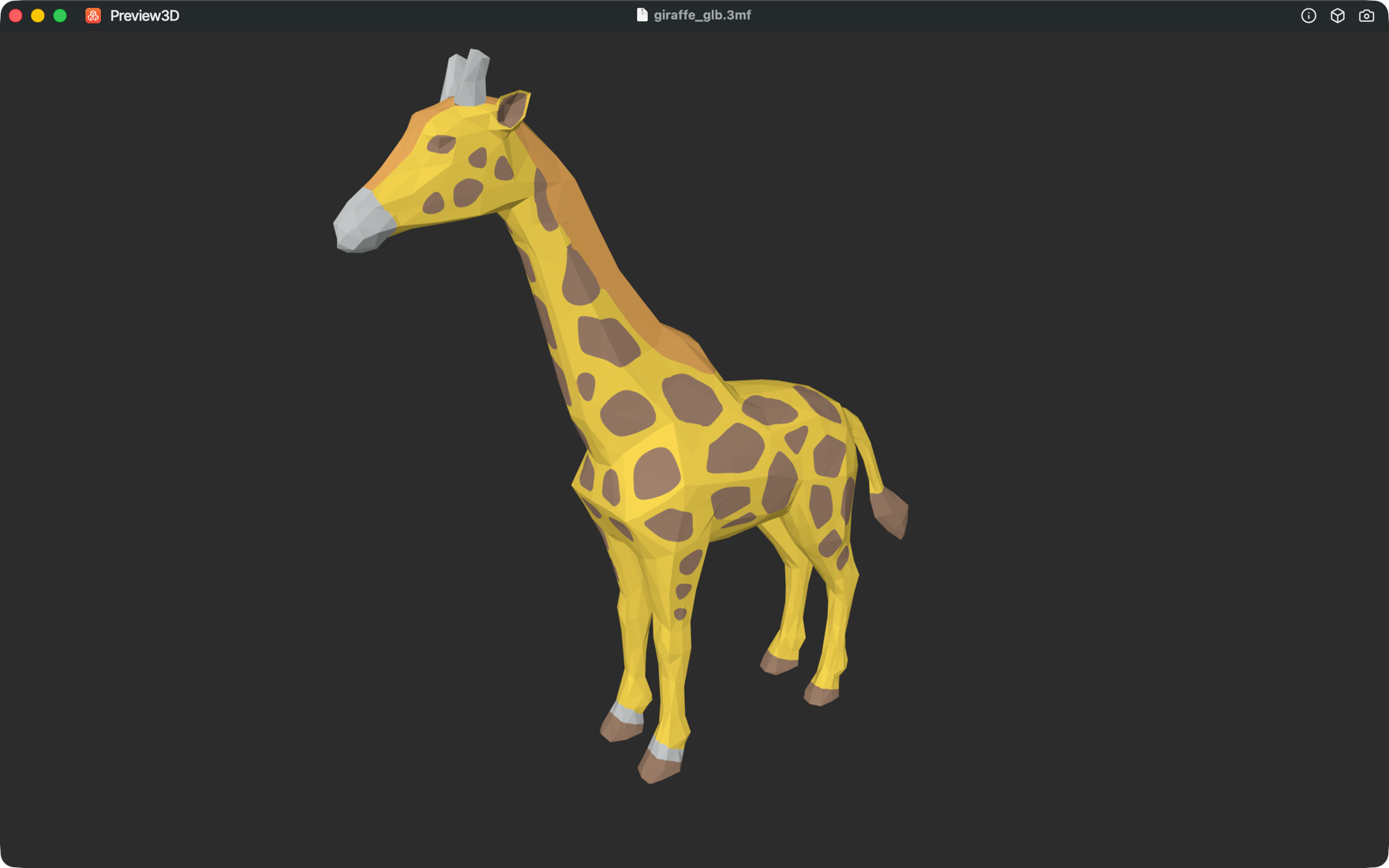
Quick Look shows the model when you press space. Not just a picture — the model can be rotated right there in the preview window, so you can look at the other side too.
Which formats
Previews and thumbnails work for everything the app can open: STEP and STP, STL, OBJ, PLY, glTF and GLB, USDZ, DAE, 3MF including painted multi-material prints, and via Assimp also FBX, 3DS, X3D, LWO and more. Plus G-code and .bgcode, where the preview shows the image embedded by the slicer and the information from the header — print time, filament use, material.
The interesting ones are the formats macOS can't handle on its own: STEP, painted 3MF, FBX, 3DS. That's where the difference between "a blank icon" and "I can see what this is" comes from the extension.
Large STEP files and waiting
STEP isn't a triangle mesh. It's a description of surfaces that has to be converted into triangles, and on a large assembly that takes a moment. For a Finder preview, speed is what matters.
So previews and thumbnails load STEP at a coarser resolution. For deciding "is this the right file?" that's plenty, and the Finder stays quick. You get the full tessellation once you open the file.
When the thumbnails don't show up
macOS registers the extensions itself, but sometimes only after you log out and back in, or after the app has been launched once. If thumbnails aren't appearing, open Preview3D, close it, and look at the folder again. The system also keeps its own preview cache. For files you looked at before installing, the new thumbnail shows up with a delay.
Preview3D is a native 3D model viewer for Mac and iPad. It opens STEP, STL, OBJ, glTF, 3MF, G-code and more — in a window, through Quick Look, and as Finder thumbnails. $9.99 once for both platforms, fully offline.