What is an .stl file? Why it has no units, and how to open it on a Mac
STL is the most widespread format for 3D printing: it describes only the surface of a model, as a list of triangles. It was created in the late 1980s at 3D Systems for stereolithography, and almost every CAD program and 3D scanner still exports it. It carries no units and no colour, and that's where most of the trouble you'll have with it comes from.
At a glance
- Extension
- .stl
- Type
- Triangle mesh
- Created by
- 3D Systems
- Since
- 1988
- Standard
- Not a formal standard
- Specification
- StereoLithography Interface Specification (1989)
- macOS without an app
- Opens it and shows previews
Facts checked November 4, 2026
Nothing but triangles
STL doesn't know a cylinder, a hole or a fillet. It builds every surface out of flat triangles and stores three vertices and a normal for each – the direction the triangle faces outward. This is how a cube with a side of 20 starts in text form:
solid cube
  facet normal 0 0 -1
    outer loop
      vertex 0 0 0
      vertex 0 20 0
      vertex 20 20 0
    endloop
  endfacet
Two things show right away. The number 20 has no unit: it could be 20 millimetres, inches or metres. And every triangle writes out its vertices again, even the ones it shares with its neighbours. A program reading the file has to stitch the mesh together itself.
So a rounded shape needs a lot of triangles. The more there are, the smoother the model – and the bigger the file.
Text or binary
Two encodings hide behind one extension. Text (ASCII) is what you see above. Binary has an 80-byte header, the triangle count, then 50 bytes for each triangle. So a binary STL is exactly 84 + 50 × the number of triangles in size.
The same cube with 12 triangles is 1,478 bytes as text and 684 bytes in binary – that's 84 + 12 × 50. With big models it shows: a million triangles is about 50 MB in binary and far more as text.
Export binary unless you need to read the file in a text editor. A text STL starts with the word solid – but watch out, a binary header can start with the same word. The reliable test is the size: a binary file matches the formula above exactly.
Why your model is 25.4× too small (or 10× off)
The STL specification says the coordinates are in arbitrary units. Slicers usually read them as millimetres. So a model designed in inches comes in 25.4 times too small, and one in centimetres 10 times too small. People ask about it again and again on the Prusa, Autodesk Fusion, Rhino and Bambu Lab forums.
Check the dimensions before you slice. If a box that should be 100 mm measures 3.9, it was in inches: scale it to 2540 % in the slicer. You avoid it altogether by exporting in millimetres, or by using 3MF, which records the unit.
Colour: two add-ons that don't get along
The STL standard has no colour, and text STL can't hold any. Some programs store it in the unused bytes of the binary encoding anyway, in two different ways. VisCAM and SolidView put a colour on each triangle; Materialise Magics adds a colour in the header and reads the same per-triangle bit the opposite way. A reader can't tell which convention a file uses, so colours come out wrong.
Preview3D doesn't read colour from STL and shows the model in a neutral colour. If you need a coloured model, use 3MF.
Mesh errors
Because each triangle carries its own vertices, nothing makes sure neighbours actually meet. Exported STLs often have holes, flipped triangles or edges shared by more than two faces (non-manifold), and the slicer then complains or repairs them. The Library of Congress points to studies from 1997 and 2003 that already documented this.
Where STL came from
Chuck Hull co-founded 3D Systems in 1986 to commercialise his stereolithography patent, and STL was made to get CAD data into its machines. According to the Library of Congress it was first documented in 1988; the specification from October 1989 is the last one published. Paul Bourke and Wikipedia credit the Albert Consulting Group with developing it.
The original specification had some odd rules. The whole model had to sit in positive coordinates, nothing below zero, and it recommended sorting triangles by height to make slicing faster. Nobody develops the format any more, and it has no maintainer. Autodesk's Meshmixer documentation, as the Library of Congress quotes it, called it "the worst mesh format, ever". It's still the most widespread format for 3D printing.
STL, 3MF or STEP?
STL is enough for a finished part going to print. 3MF is the better choice when units, colours or a whole slicer project matter. Send STEP whenever the other side may want to edit or manufacture the part, because exact surfaces can't be recovered from STL.
How to open STL on a Mac, iPad and iPhone
STL is one of the few 3D formats macOS knows by itself. On macOS 27 (checked on 27.0.1), Preview opens it, and the space bar (Quick Look) and Finder thumbnails show it. On older versions experiences differ; on the Autodesk forum, people complained that Preview in OS X wouldn't open binary STL.
For a quick look, that's enough. Preview3D adds what Preview doesn't do:
- in Model info, the dimensions and triangle count, so you catch a units mistake before the file goes to the slicer,
- a mesh check: holes, flipped triangles, edges shared by more than two faces and separate parts,
- three views – shaded, with edges and wireframe – and for STL, highlighted crease lines that keep the model readable,
- an Explode slider for a model made of several separate bodies,
- on a Mac, converting STL to OBJ or PLY,
- iPad, iPhone and Apple Vision Pro. On iPad and iPhone, AR stands the model on your desk at its real size. Preview3D reads STL as millimetres, so a model designed in inches shows up 25.4 times too small there too, and you catch the units mistake before you print it.
It tells binary STL by its size, not by its first bytes, so files whose header starts with solid don't fool it.
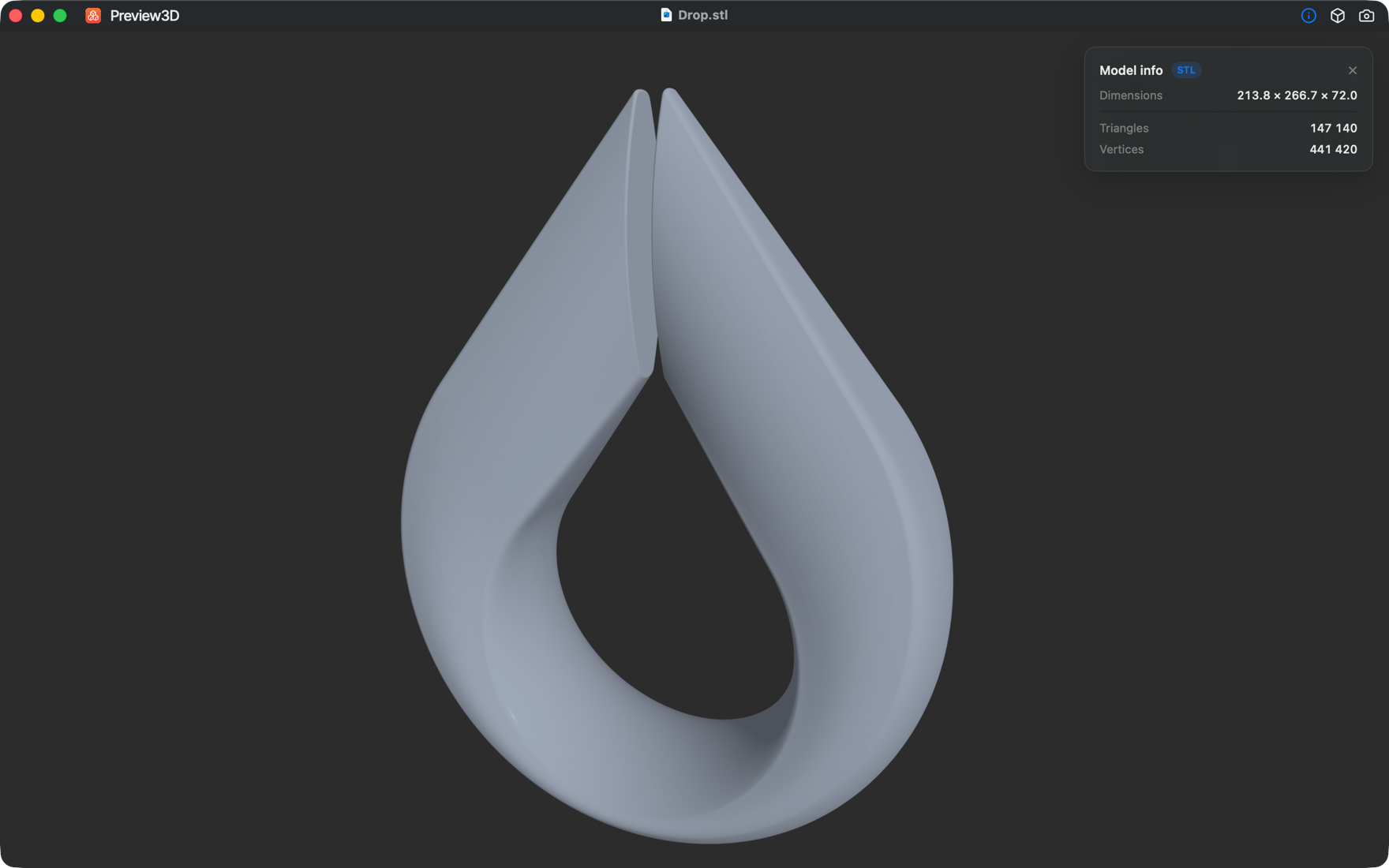
About crease lines and the three views, I wrote up Shaded, with edges, or wireframe: three ways to look at one model.
Common questions
What units is an STL in?
None. The coordinates are just numbers, and slicers usually read them as millimetres.
Why is my model tiny after importing it?
Most likely it was designed in inches. Scale it to 2540 % in the slicer, or export it again in millimetres.
Should I export ASCII or binary STL?
Binary. It's much smaller.
Can an STL hold colour?
Not by the standard. Some programs store colour in the binary encoding, but in two mutually incompatible ways. For colour, use 3MF.
Can STL be converted to STEP?
Formally yes, but the triangles stay triangles. Exact cylinders and holes don't come back from STL.
Does a Mac open STL without another app?
On macOS 27, yes: Preview opens it and Quick Look shows it. According to Apple's guide, though, Preview can save a 3D model only as USD or USDZ, not as another format for printing.
Related pages
- The .3mf file – a mesh with units and colours
- The .step and .stp file – exact geometry from CAD
Sources
- Library of Congress: STL, binary STL and ASCII STL – history, colour add-ons, mesh errors
- Marshall Burns: STL Format – a reprint of the 1989 specification, units, positive coordinates
- Paul Bourke: STL format – binary encoding
- IANA: model/stl
- Apple: Model I/O and STL
- Apple: exporting a 3D file in Preview
- Prusa forum: STL too small after importing into PrusaSlicer
- Autodesk forum: STL in OS X Preview
Have you hit an STL that opened at the wrong size, or that the slicer rejected for mesh errors? Write to me at apps@xfanta.com with the program it came from, and I'll add it here.
Open it in Preview3D
STEP, 3MF, STL, G-code, BGCODE and more on Mac, iPad, iPhone and Vision Pro. One purchase, no account, no network.
Preview3D on the App Store