What are .gltf and .glb files? The difference, and how to open them on a Mac
glTF is the Khronos Group's open format for 3D models on the web, in games and in AR. It carries a mesh with materials, textures, an object hierarchy, cameras and animation. A .gltf file is JSON that points to other files; a .glb is the same data packed into one binary file. Since 2022 glTF has been the ISO/IEC 12113 standard, and on macOS 27 even Preview opens it.
At a glance
- Extension
- .gltf, .glb
- Type
- 3D scene
- Created by
- Khronos Group
- Since
- 2015
- Standard
- ISO/IEC 12113:2022
- Specification
- glTF 2.0 (Khronos)
- macOS without an app
- Partly – see the text below
Facts checked November 4, 2026
Two wrappers, the same data
A .gltf file is readable text in JSON. It describes the scene and the geometry (binary data, a "buffer") and takes textures from separate files – or carries them inside the JSON as a long base64 string. These are selected parts of a file exported from Onshape:
{
  "asset": {
    "generator": "ONSHAPE BY PTC INC, 1.217",
    "version": "2.0"
  },
  "extensionsUsed": [
    "PTC_onshape_metadata"
  ],
  "buffers": [
    {
      "byteLength": 1044168,
      "uri": "data:application/octet-stream;base64,oWaSPRhJBT6qFIE6bDaSPTJ…"
    }
  ]
}
Here a whole megabyte of geometry sits inside the JSON as text, so the file is 2.65 MB.
A .glb carries the same in one binary package. It starts with a 12-byte header: the letters glTF, version number 2 and the total file length. The JSON follows, then the binary data. The first 28 bytes of a gear exported from Onshape:
00000000: 676c 5446 0200 0000 1c65 0b00 5064 0200  glTF.....e..Pd..
00000010: 4a53 4f4e 7b22 6163 6365 7373            JSON{"access
The length 1c65 0b00 is 746,780 bytes – exactly the size of the file.
Why a .gltf opens without textures
When a .gltf points to side files (a .bin with the geometry, images with the textures), they have to travel with it. Send only the .gltf and the other side sees the model without textures, or nothing at all. Apple's Preview guide warns about it too. Send the whole folder – or better, a GLB, where everything is in one file.
What glTF carries
- Meshes made of triangles. No exact CAD surfaces or tolerances – that's STEP's domain.
- PBR materials (metallic-roughness) with PNG and JPEG textures, and vertex colours.
- An object hierarchy with names, several objects and scenes in one file.
- Cameras and animation, skeletons and morph targets included.
- Metadata: which program made the file, copyright.
On top of the core sit extensions: Draco and meshopt geometry compression, KTX2 and WebP textures, extra material properties. They're why one program opens a file and another doesn't.
Extensions: why a GLB won't open somewhere
A file lists the extensions it uses (extensionsUsed) and those it can't be read without (extensionsRequired). The Onshape gear above uses Onshape's own PTC_onshape_metadata, but only as "used", so a program that doesn't know it can skip it.
Compression is different. A model compressed with Draco or meshopt, or with KTX2 textures, usually lists those extensions in extensionsRequired, and a program that doesn't support them won't open it. According to threads on the Apple Developer Forums, that includes Apple's Reality Converter. If a GLB opens elsewhere but not for you, look for extensionsRequired in its JSON.
Metres, not millimetres
The glTF specification says all distances are in metres, with the Y axis pointing up. The same cylinder exported from Onshape is written as 54 × 54 × 25 in STL and as 0.054 × 0.054 × 0.025 in glTF.
That's a trap for printing. STL has no unit and a slicer reads it as millimetres, so a glTF converted to STL without rescaling comes out a thousand times too small. Preview3D doesn't change the numbers when it converts: after turning a glTF into STL, scale it up to 100,000 % in the slicer, or export it in millimetres from the program it came from.
Where glTF came from
glTF was born in the COLLADA working group. Khronos announced it in March 2013, and version 1.0 came out in October 2015. glTF 2.0, from June 2017, replaced shaders with PBR materials and moved GLB into the core specification; 1.0 files aren't compatible with it. In July 2022 glTF 2.0 was published as the international standard ISO/IEC 12113. Khronos calls it "the JPEG of 3D".
How to open glTF and GLB on a Mac, iPad and iPhone
On macOS 27, Preview opens both .gltf and .glb, according to Apple's guide. It saves edited models only as USD or USDZ, though. Whether Quick Look can show them without another app, I haven't checked. On older macOS versions experiences differ: for some people Preview opened GLB, for others it vanished from "Open With".
Other options:
- [Blender](https://www.blender.org/) imports and exports glTF, but it's a full 3D package.
- Web viewers like the Khronos glTF Sample Viewer or the PlayCanvas viewer show the model in the browser.
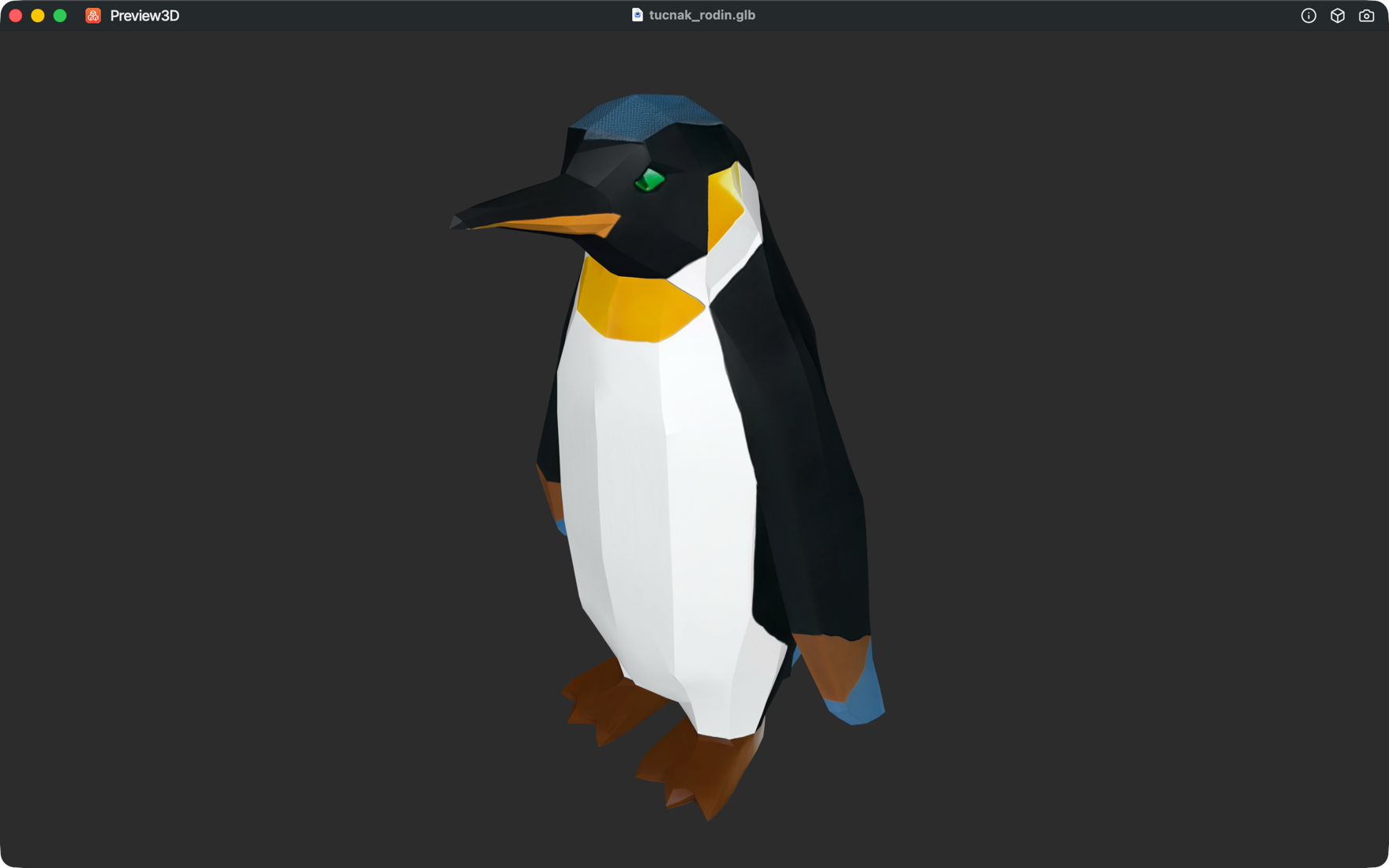
- Preview3D, my app, opens glTF and GLB in its window and in Quick Look, with colours and materials, on Mac, iPad, iPhone and Apple Vision Pro.
Preview3D also reads a .gltf that takes its geometry and textures from side files, Quick Look included. Model info shows the dimensions in the file's own units – metres, for glTF – and the triangle count, with a mesh check. On iPad and iPhone it stands the model in AR at its real size, because the glTF unit is fixed by the specification.
Converting GLB to STL without uploading
On a Mac, Preview3D converts from File → Export model as… (⌥⌘E) to STL, OBJ or PLY, with no internet connection. Search for "glb to stl" and you mostly get online converters that upload your file to someone else's server – worth a thought for a client's model or an AI-generated one. After converting, mind the metres, as above.
Common questions
What's the difference between .gltf and .glb?
The same data in a different wrapper. .gltf is text (JSON) that often keeps geometry and textures in side files. .glb is everything in one binary file.
Which one should I send?
GLB. It's one file, and nothing falls out of it on the way.
Why did my .gltf open without textures?
Its side files (.bin and images) are missing. Send the whole folder, or save the model as GLB.
Why is my model tiny after converting it to STL?
glTF is in metres, and the slicer reads STL as millimetres. Scale the model up to 100,000 %.
Does a Mac open GLB without another app?
On macOS 27, yes, in Preview. On older versions experiences differ.
Why does a GLB open in one program and not another?
Most often because of extensions – typically Draco or meshopt compression, or KTX2 textures. A program that doesn't support them can't read the file.
Related pages
- The .stl file – the printing format GLB is most often converted to
- The .fbx file – Autodesk's closed format for whole scenes
- The .step and .stp file – exact geometry from CAD
Sources
- Khronos: the glTF 2.0 specification – .gltf and .glb encoding, units, extensions
- Khronos: glTF and the list of extensions
- Khronos: glTF 2.0 as an ISO/IEC standard
- Khronos: glTF 2.0 release
- Library of Congress: glTF
- Apple: 3D files in Preview and exporting a 3D file
- Apple Developer Forums: Reality Converter and Draco and KTX compression
Have a GLB that wouldn't open on your Mac, or that came out the wrong size after converting? Write to me at apps@xfanta.com with the program it came from.
Open it in Preview3D
STEP, 3MF, STL, G-code, BGCODE and more on Mac, iPad, iPhone and Vision Pro. One purchase, no account, no network.
Preview3D on the App Store