Put a QR code next to your print, and anyone can see it in AR
September 23, 2026
Do you have 3D models on Printables? You probably have photos of them, maybe from several angles. Printables adds a 3D preview of the first file on top of that — except it is always orange. On a multi-colour model that loses exactly what you painted it for.
Now you can generate an animated picture in which the model keeps its own colours. Paint it in PrusaSlicer, upload it to Printables, then paste the model's address into preview3d.xfanta.com/qr and download the picture — it belongs in the gallery or in the description.
And there is more. The picture carries a QR code. Scan it and you see the model in 3D, and one tap later it is standing in AR on the table in front of you — in colour, with a shadow, and you can walk around it. All of it without installing anything: the code opens an App Clip, a small piece of Preview3D that downloads itself, shows the model and disappears again.
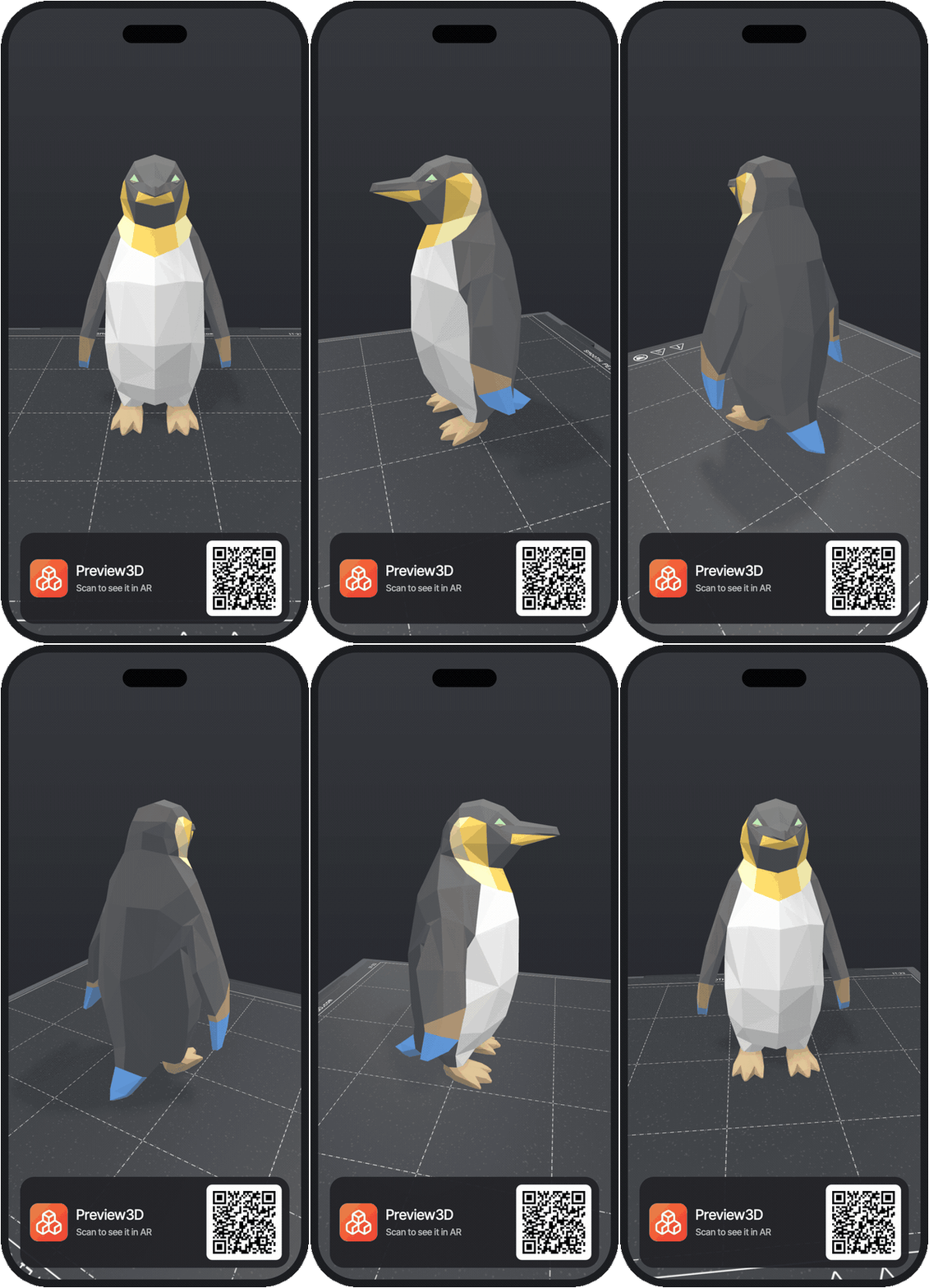
What the person scanning your code sees
They point the camera at it. A card slides up from the bottom with a preview and an Open button. They tap — and within seconds the model is turning on the screen; the "View in AR" button puts it in the room. No App Store, no searching, no account.
Anyone scanning on Android, or sitting at a computer, lands on a page where the same model turns in the browser. They miss out on AR, not on the model.
How you make one
The code carries a short address of the form preview3d.xfanta.com/ar/<model>/<file> — the numbers are Printables' own ids. The address, the QR image to download and that animated picture all come from the tool on our site: paste the link to your model and you get them for every file the app can open.
The code belongs wherever the model is:
- in the model's description on Printables — as an image among the photos
- on a card next to the print, when you hand one to somebody or sell it
- on your table at a maker fair — passers-by put your print in their palm
The short address is not an accident: the shorter the URL, the coarser and more robust the QR. This one can be read even printed two centimetres across.
What you need
Nothing. The codes and the pictures are free and are made right in your browser — nothing is uploaded anywhere. They work for public Printables models and for files hosted anywhere else (through the long form /ar?m=<file address>).
Whoever scans the code needs an iPhone or iPad running iOS 17 or newer. They do not need the full app — that is the whole point. If they take to the 3D previews, Preview3D is there for iPhone, iPad, Mac and Vision Pro.
When it doesn't work
Not on paid models. Printables won't hand the file to anyone who isn't signed in, and an App Clip isn't signed in — so the code would lead to a page that can never load the model. The generator spots this and tells you, instead of making a code you would hear about from the first person who scans it.
The model also has to be published. While it is still a draft, the file id that gets baked into the code doesn't exist yet.
And the colours come from PrusaSlicer projects for now. A model painted in Bambu Studio will render, but in a single colour.
Preview3D is a native 3D model viewer for Mac, iPad, iPhone and Apple Vision Pro. STEP, STL, OBJ, glTF, 3MF, G-code and more — $9.99 once, no account, fully offline.