Put the model on your desk before you print it
August 6, 2026
A model on a display has no scale. You rotate it, you zoom, and you still don't know whether that Raspberry Pi case will fit behind the monitor. Millimetres are hard to picture — and finding out by printing costs you half a day.
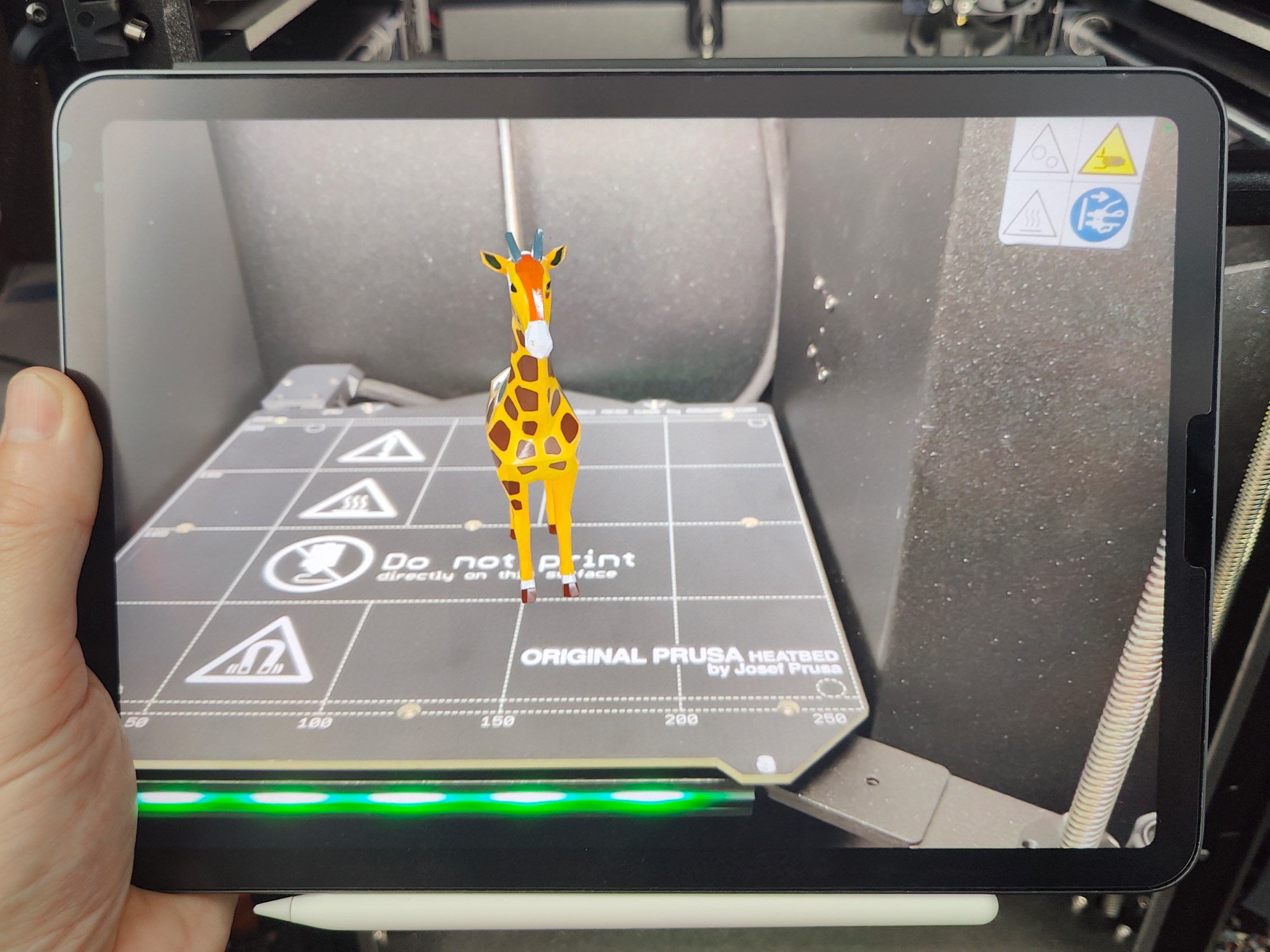
On iPad you can set the model down in the room and walk around it.
How it works
Open a model in Preview3D, tap share and pick AR. The app converts the model to USDZ and hands it to the system's AR Quick Look — the same one you know from Apple's site when you look at a product in your space. Point the iPad at your desk, the model settles onto the surface, and you walk around it.
It works for anything the app can open. Not just USDZ, but a STEP from a supplier, an STL from Printables or a coloured 3MF — the conversion happens the moment you ask for AR.
About the scale, plainly
The model is placed in AR at roughly 20 cm, not at its real size.
There's a reason: 3D files don't agree on units. A STEP may be in millimetres, an STL from elsewhere in inches, and plenty of files carry no unit at all. If the app trusted the numbers in the file, it would sometimes stand a part in your room the size of a house, and other times drop it on the desk like a poppy seed.
Twenty centimetres is a size at which you can always look the model over. For judging shape, proportion and detail, it works. It won't answer "will this fit behind my monitor" — for that, look at the info panel, which gives the bounding-box dimensions in millimetres, and for STEP files the source unit as well.
What it's good for
Mostly for shapes that are hard to judge from a picture. A bracket you suspect is heavier than it needs to be. A figurine you want to see at eye level. An assembly you want to show someone in a meeting without hauling a laptop with CAD on it.
And for showing things: hand someone the iPad and they see the model on the table in front of them, instead of deciphering a view on a screen.
AR is on iPad; the Mac version instead exports USDZ, which opens in AR Quick Look on an iPhone just the same.
Preview3D is one purchase for Mac and iPad — $9.99 once, no account, fully offline.